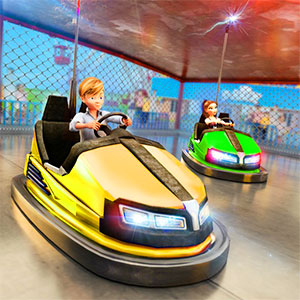
Watch one cycle, press once
Bump.io is an arena match scored on knockouts, and a fast run means collecting kills without feeding any back. The game keeps a kill counter live through the round and closes with a breakdown splitting rank points from kill points, so the quick route is the one that keeps both numbers climbing together.
The input lands a beat before the bump
Take the first contact you can read
Because the outcome of a collision is settled the instant it happens, an opening hit against an opponent you have actually read is the cheapest kill in the match. Waiting for a perfect opportunity usually means the rest of the field has already read you instead.
Never enter a clash you did not start
The player who commits first decides the timing; the one reacting is always a beat behind. Approach the contact rather than being approached, and the same single input that everyone has suddenly works in your favour.
Keep the kill counter moving
The live kill count is the scoreboard that matters mid-match. When it stalls, the run has stopped earning, and the right response is to change the angle of approach rather than to press harder from the same position.
Check your armour before queueing
The menu screen carries a garage and an armour reading next to the play entry, so how long you survive a clash is decided before the match begins. Sorting the loadout on the menu keeps the arena itself about timing alone.
Use the fill meter to choose your moment
A progress reading builds on the HUD as the match runs. Pushing for kills while it is still climbing is safer than gambling late, because the meter tells you how much round is left before you commit to a risky clash.
Read the breakdown before requeueing
The summary separates rank points from kill points and ends on a rank figure. If rank points are strong but kills are low, the run was too passive; if kills are high and the rank is poor, the problem is survivability, and each points at a different fix.
Kill counts and rank breakdowns
What decides a match in Bump.io?
Knockouts. A kill counter runs while the round is live, and the end screen totals your kill points and rank points before placing you at a rank, so elimination count is the number to watch.
How do I avoid losing clashes?
Commit first. The winner of a contact is settled the moment it happens, so the player who initiates has the timing advantage and the one reacting is already a beat behind.
What does the menu offer before a match?
A garage entry with an armour reading sits beside play, so the build you take in is chosen outside the arena. Set it up on the menu and keep the match focused on the moment of contact.
Is the rank figure in the summary worth watching?
Yes. It is the combined result of kill points and rank points. Watching which of the two lags tells you whether the next match needs more aggression or more survival.
Think of a match as a sequence with a different priority at each point. At the start the field is crowded and everyone is reading everyone else, which makes the opening the best window for a clash you have chosen yourself.
In the middle, watch the live kill counter rather than the arena as a whole, because while that number moves you are ahead of the match and while it sits still you are only surviving. A stalled counter is the signal that the approach is the problem rather than the effort.
The menu is where the match is partly decided. The armour reading beside the play entry shapes how many clashes you can afford, so choosing the build there keeps the arena itself about committing to contact at the right moment.